
Create pages by prompt
Name the products and say what you want. The assistant asks Rich Media Studio to build the pages, and they land in your page list as drafts in your brand design.
Connect Claude or ChatGPT via MCP, then create, adjust and check your A+ pages by chat.
Works in Claude and ChatGPT via MCP
around 3 h
of manual work saved per A+ page
estimate
Yes. Rich Media Studio by DemoUp Cliplister includes an MCP server. Connect it to Claude or ChatGPT and your assistant works on the A+ pages themselves: it creates pages, adjusts texts and modules and tells you the status of every page.
Name the products and say what you want. The assistant asks Rich Media Studio to build the pages, and they land in your page list as drafts in your brand design.
Ask for a new tone, shorter headlines or one module more or less. The assistant changes the page itself, not a copy of the text in the chat.
Ask which pages are drafts, submitted or approved, and get the answer in the chat without opening a single page.
Rich Media Studio includes an MCP server. Add it to your assistant once and authorize the connection. The setup is in your settings after signup.
Your first A+ page, then everything by chat
Build one page with the AI agent. Then connect Claude or ChatGPT and keep going.
You set it up once, without code or a developer, and then work by chat.
Join the waitlist. With your invite you build your first A+ page.
Brand design detectedAdd it to Claude or ChatGPT and authorize.
ConnectedNew pages, a shorter headline, a status report.
10 drafts createdPages land as drafts until you submit them.
Submitted for reviewSame pages, two ways to work
What your assistant changes shows up in the editor, and what you change in the editor is what the assistant sees next. Use the chat for many pages at once and the editor for the fine details.
Modules
Brand design
AERO
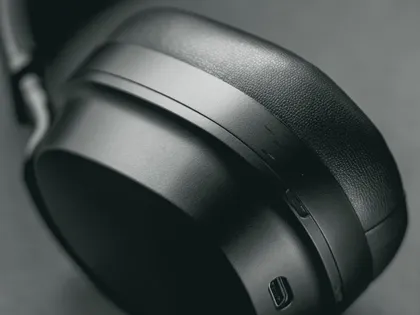 40 hours Battery per charge
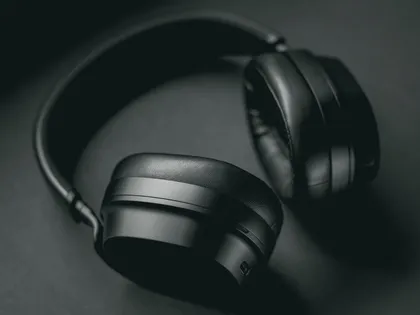 Deep bass Tuned 40 mm drivers
 Soft fit Memory foam pads
Copy one, name your products and adapt it.
After signup, the setup is in your settings.
Create
"Create A+ pages for my 10 most visited products without A+ Content."
Adjust texts
"Shorten the headlines on the headphones page and make the tone more premium."
Adjust modules
"Move the comparison chart to the top and add a text module about care."
Check status
"Which of my A+ pages are still waiting for approval?"
Rebuild
"Rebuild the camera page around a comparison chart of our three models."
Submit
"Submit the drafts I approved today to Amazon for review."
Anyone who already spends the day in Claude or ChatGPT.
One prompt creates or updates pages for a list of products, instead of opening each page on its own.
A+ Content at scaleAsk for the same tone, claim wording or headline style across all pages of a product line.
For brands and vendorsAsk which pages are drafts, submitted or approved and paste the answer into your client update.
For agencies| Task | Chat without MCP | Rich Media Studio |
|---|---|---|
| Result | Text you paste by hand | A+ pages saved as drafts |
| Knows your A+ pages | Not available | |
| Changes modules, not only words | Not available | |
| Several products in one prompt | Not available | |
| Status and approvals in chat | Not available |
Yes. Rich Media Studio by DemoUp Cliplister includes an MCP server. Once you connect it to Claude or ChatGPT, the assistant creates A+ pages, adjusts texts and modules and checks status by chat.
MCP is an open standard that lets AI assistants use external tools and data. The assistant connects to an MCP server and can then act inside that product instead of only talking about it.
No. You add the Rich Media Studio MCP server to your assistant and authorize the connection. The setup is in your settings after signup. Whether you can add MCP servers can depend on your Claude or ChatGPT plan.
No. Pages land as drafts. You review them and submit them to Amazon for review when you are happy with them.
A plain chat gives you text that you paste into Amazon module by module. Through MCP the assistant works on the page itself in Rich Media Studio, including its modules.
Yes. Chat and the A+ Content editor work on the same pages, so you can switch between them at any time.
Create your first A+ page, then connect Claude or ChatGPT in the settings.